







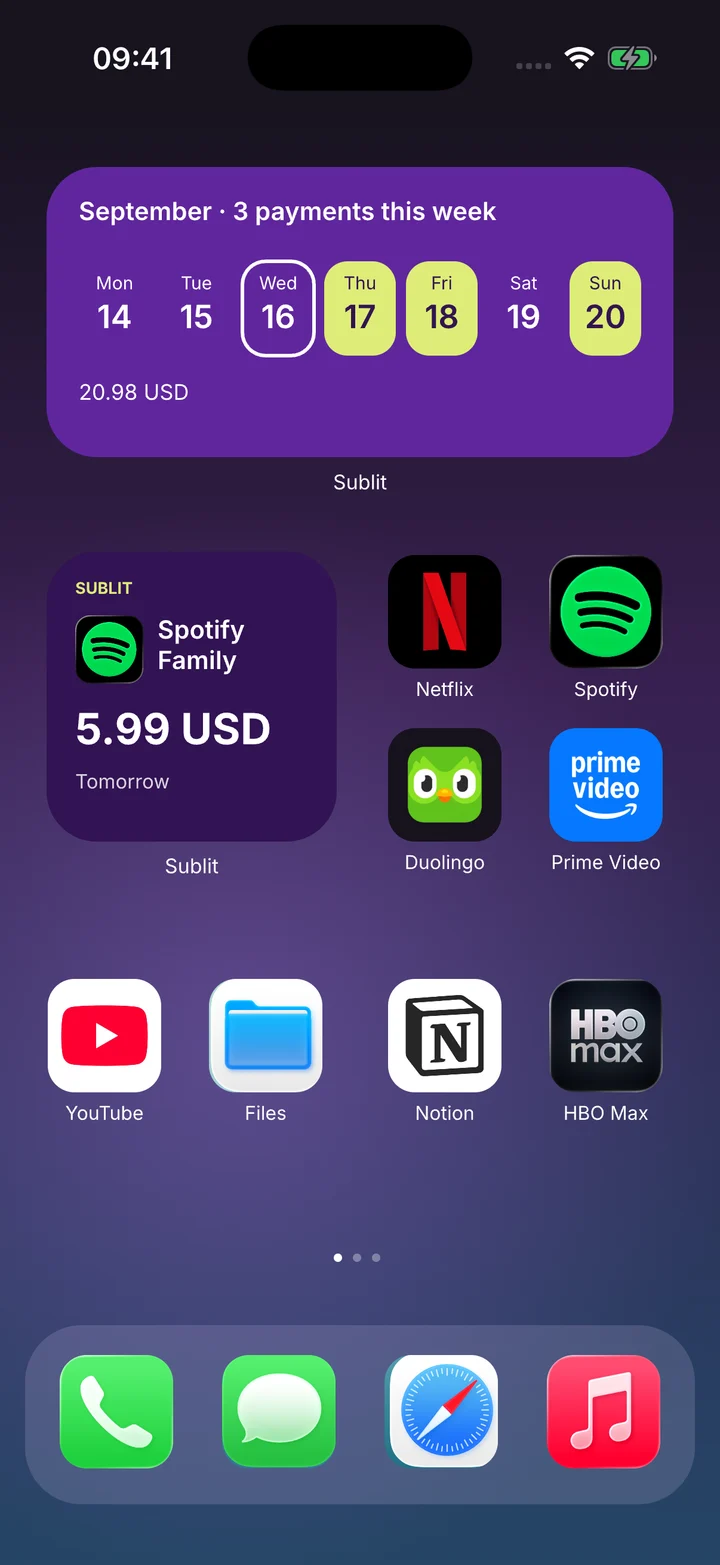
Your next payment. At a glance.
See the week ahead and your next charge right on your Home Screen.

Subscriptions, rent and recurring bills, all in one place. Know what’s due, how much and when.
No account needed · 3 expenses free · Made for iPhoneNo account needed · 3 expenses free

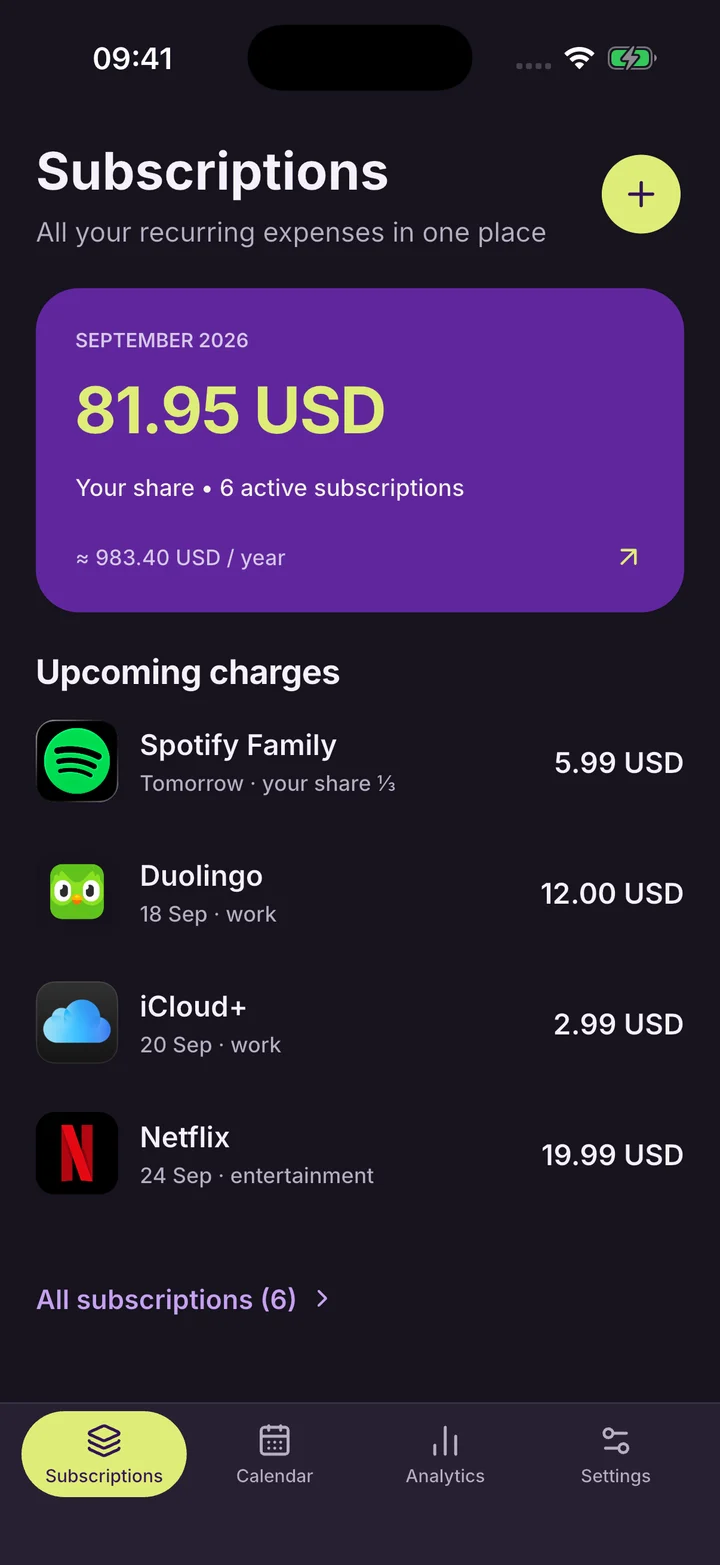

App previews from our screenshot series. Amounts shown are demo data.
From Home Screen widgets to shared plans. Make Sublit yours.
See the week ahead and your next charge right on your Home Screen.

20 language options and 51 currencies. Track expenses in the way that feels familiar.
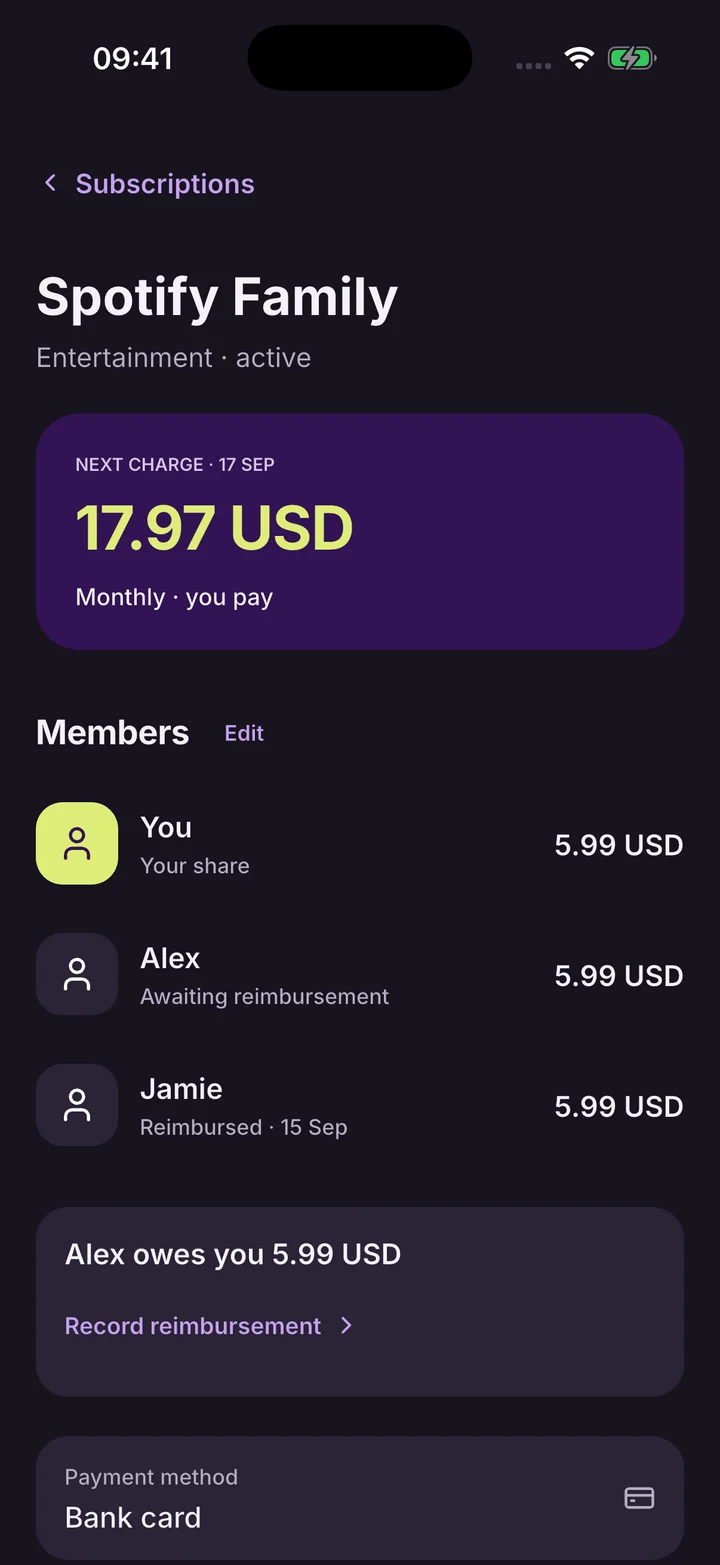
Track your share, other members and repayments for your shared subscriptions.
Pick a service from the catalog or add your own. Enter the amount and next payment date.
Choose the billing cycle, currency, your share and a reminder before payment.
Open your calendar and forecast. Your upcoming expenses are already in one place.
Internet is used for exchange rate updates and Sublit Smart purchases.
“Finally, one place for all the little payments I used to forget about.”
“Seeing the whole month ahead makes planning my budget feel so much easier.”
“Our family plan finally makes sense. I can see my share without doing the math.”
Sample reviews for the launch concept
No. You add expenses manually. Sublit helps you track them, but doesn’t connect to your bank, move money or cancel services.
Yes. Track up to 3 active expenses for free. Sublit Smart removes the limit on how many you can add.
Download Sublit for iPhone on the App Store. An Android version is in development.
Launch concept: the download link is a placeholder. Release availability is not confirmed.